
How to Make and Sell a Greeting Card on Etsy Using Canva (Step-by-Step Guide)
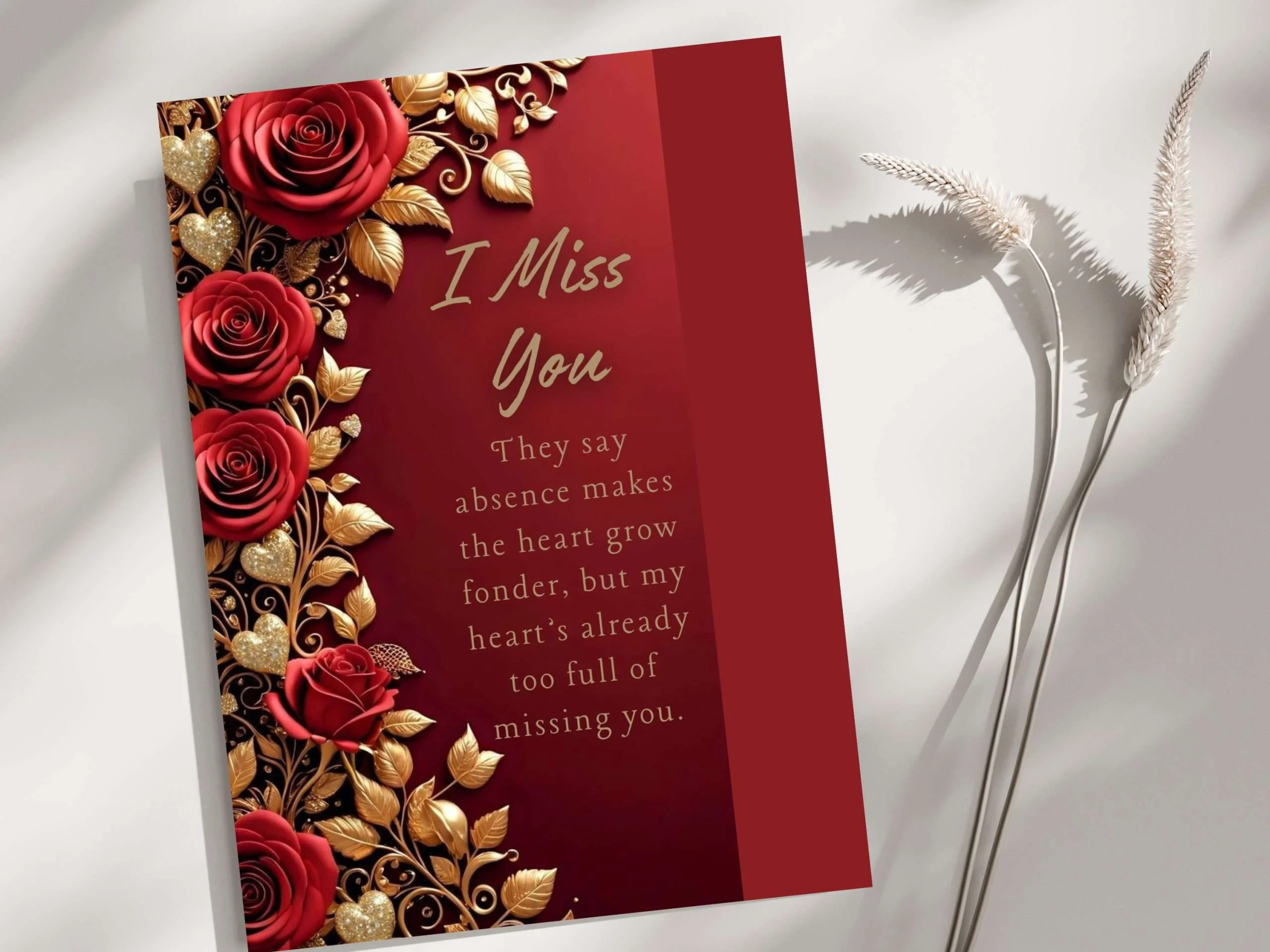
“I had no design degree. Just a Pinterest board, a free Canva account, and one card idea. This is the exact process that turned it into real Etsy sales.“
You’ve seen those gorgeous greeting cards on Etsy — rich florals, gold accents, emotional messages. And you’ve probably thought: “I could make something like that.”
You absolutely can. The “I Miss You” card you see above? Made entirely in Canva. Inspired by Pinterest. Sold on Etsy. This guide walks you through every single step — from finding inspiration to handing a buyer a card they can actually personalize themselves.
No design degree. No expensive tools. Let’s go.
What You’ll Need Before You Start
- A Canva account (Free works; Pro unlocks the Background Remover — worth it)
- A Pinterest account to collect inspiration
- An Etsy account to list your finished product
- A card concept in mind — floral, minimal, seasonal, sentimental
Find Your Card Theme on Pinterest
Pinterest is your free mood board and your secret weapon. Before opening Canva, spend 10–15 minutes here searching themes like:
luxury greeting card red rosesromantic miss you card gold floralaesthetic sympathy card minimal
Save your favorite pins to a dedicated board — name it something like “Card Ideas to Build.” Look for cards with a clear color mood, a strong emotional tone, and decorative elements you can recreate.
Bring Your Pinterest Idea Into Canva
Set Up the Right Canvas Size
Standard greeting cards are 5 × 7 inches. Open Canva → Create a design → Custom size → enter 5 in × 7 in → hit Create.
Upload a Pinterest-Inspired Element
Found a gorgeous floral cluster or gold leaf texture on Pinterest? Save the image, then in Canva go to Uploads → Upload files and bring it in. This becomes your design ingredient.
Use Canva’s Magic Background Remover
This is where the magic happens. Select your uploaded image, click Edit image in the top bar, then hit BG Remover. Canva instantly strips the background and hands you a clean, isolated element — roses, leaves, gold hearts, whatever you uploaded.
Now you can layer it anywhere on your card without any white box ruining your design.

Design the Card
Here’s exactly how the card you see above was built:
Set a Rich Background Color
Click anywhere on the canvas → Background color → choose a deep, rich shade. For this card, that’s a deep crimson (#8B0000 range). Avoid plain white, emotional cards need depth.
Layer Your Floral & Gold Elements
- Place your background-removed roses along the left edge of the card
- Go to CanvaElements → search “gold leaf”or“gold vine”and add metallic accent elements
- Layer gold hearts and small botanical shapes around the roses
- Adjust opacity on some elements to create depth (80–90% works beautifully)
Choose Fonts That Match the Emotional Tone
Script font like Playlist Script or Sacramento — feels handwritten, warm, personal
Light serif like Cormorant Garamond — elegant, easy to read on dark backgrounds
Add Your Sentiment Text
Keep it simple and emotionally resonant. For the “I Miss You” card, the headline is large and centered. The tagline sits below in a lighter weight.
- Tagline: 14–16pt, light weight, generous line spacing (1.5–1.8)
- Keep text away from the very edges — leave at least 0.25 inch margin
“Done is better than perfect. Your first card doesn’t need to be flawless — it needs to be finished and listed.”

Add an Editable Signature for Your Customer
This is the feature that turns a generic card into something personal, and it’s a huge value-add that justifies a higher price and earns repeat buyers.
Why It Matters
Buyers don’t just want a pretty card. They want to send it. An editable “From ” or “With love, ” field makes your card actually usable, without printing anything.
Export Your Card the Right Way
Printable Card
Export as PDF Print — highest resolution, sharp edges, professional quality
Go to Share → Download → PDF Print or JPG, select all pages, and hit Download. Always open the file yourself and check it looks perfect before uploading to Etsy.
